
Introduction
Email remains one of the most widely used communication tools for professional and personal coordination. Despite the rise of instant messaging and collaborative platforms, email continues to be the primary channel for formal communication, account notifications, and long-term records. However, the growing volume of incoming messages has created a persistent challenge: inbox overload.
SaneBox is an email management service designed to help users regain control over their inbox by using behavioral analysis and automated organization. Instead of replacing an email client, it works alongside existing email providers to sort, filter, and prioritize messages based on user behavior. This article provides a comprehensive, non-promotional examination of SaneBox, its functionality, underlying approach, strengths, limitations, and suitable use cases.
The purpose of this review is educational: to explain how SaneBox works, what problems it attempts to solve, and which types of users may find it appropriate.
Understanding the Problem of Inbox Overload
Inbox overload is not simply a matter of receiving too many emails. The core issue lies in attention management. Important messages are often buried beneath newsletters, automated alerts, promotional messages, and low-priority correspondence. Over time, this leads to missed deadlines, delayed responses, and increased cognitive stress.
Traditional email solutions such as manual folders, filters, and rules require continuous maintenance. These systems depend on predefined conditions that may not adapt well to changing communication patterns. As a result, many users abandon manual inbox organization altogether.
SaneBox approaches this problem from a different angle by focusing on behavioral signals rather than rigid rules.
Overview of the SaneBox Platform
SaneBox operates as an email intelligence layer that connects directly to an existing email account. It does not replace Gmail, Outlook, Apple Mail, or other clients. Instead, it analyzes how a user interacts with incoming messages and automatically categorizes future emails accordingly.
The platform is built around the idea that user behavior—such as which emails are opened quickly, replied to, or ignored—provides a more accurate indicator of importance than sender-based rules alone.
Key characteristics of the platform include:
- No requirement to change email address
- Compatibility with major email providers
- Server-side processing rather than client-side plugins
- Gradual learning based on real usage patterns
How SaneBox Works
Behavioral Email Analysis
At the core of SaneBox is a behavioral analysis engine. Instead of asking users to define rules, the system observes patterns such as:
- Which emails are read immediately
- Which messages receive replies
- Which emails remain unopened or are deleted
Over time, these patterns allow the system to predict which future messages are likely to be important.
Automatic Folder Sorting
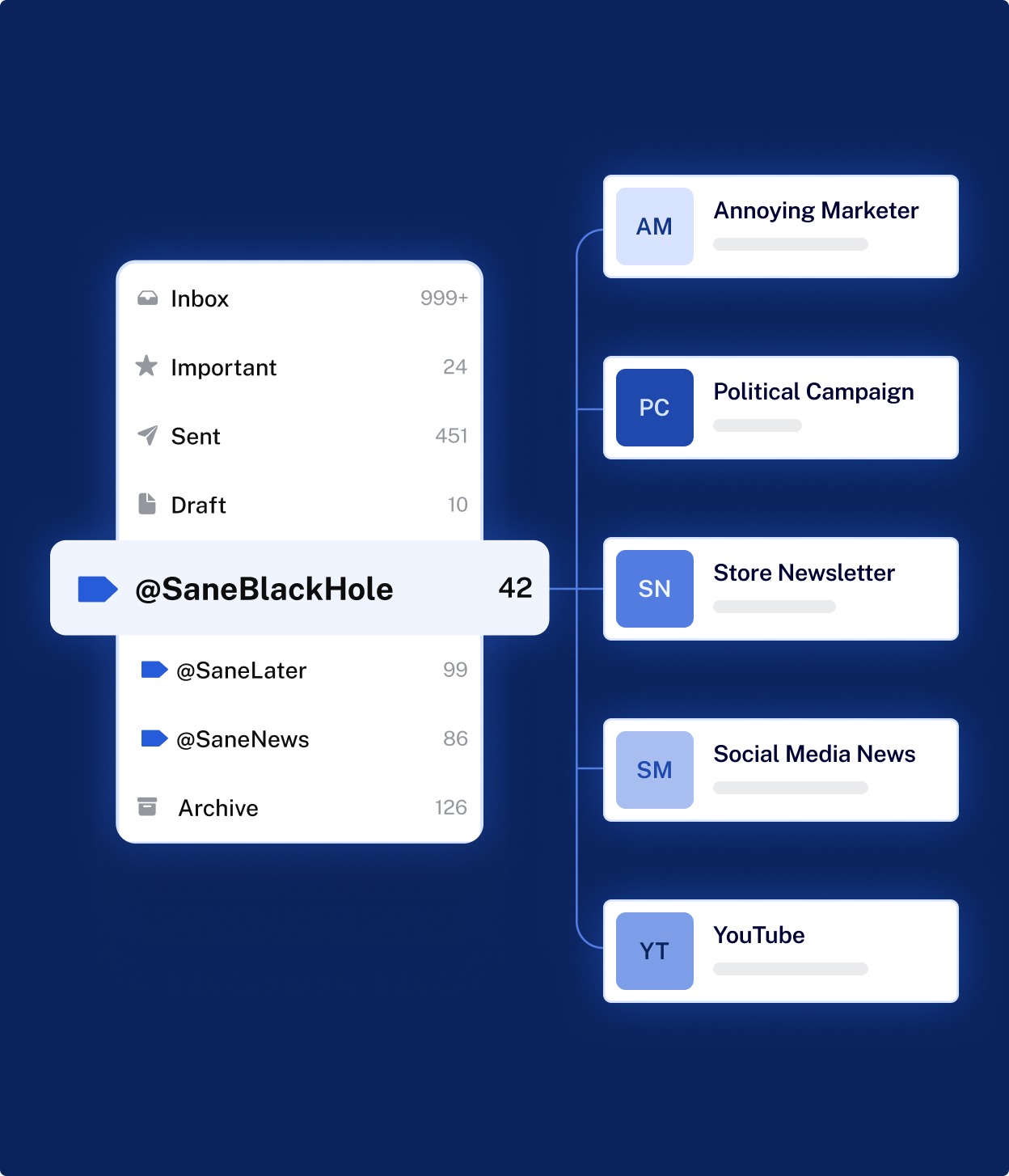
SaneBox creates dedicated folders within the existing email account. These folders act as smart containers for different categories of messages. For example, emails deemed less important may be moved out of the main inbox and into a separate folder, reducing visual clutter without deleting anything.
Users retain full control and can override the system at any time by moving messages between folders, which further refines the learning process.
Core Features Explained
Inbox Prioritization
One of the primary functions of SaneBox is prioritizing messages that are most likely to require attention. The main inbox is reserved for higher-priority communications, while lower-importance messages are grouped elsewhere for later review.
This approach does not block or discard emails. Instead, it restructures the inbox environment to reduce distraction.
Email Snoozing and Deferred Delivery
SaneBox includes tools that allow users to temporarily remove emails from view and have them return at a chosen time. This feature is particularly useful for messages that require action at a later date.
Deferred delivery helps users maintain focus on current tasks without losing track of future responsibilities.
Digest and Summary Views
Rather than interrupting users with constant notifications, SaneBox can compile certain categories of emails into summary digests. These summaries are delivered at scheduled times, allowing users to review less critical messages in batches.
This batching approach aligns with productivity research that emphasizes reduced context switching.
Attachment Management
Large email attachments can accumulate quickly, consuming storage space and making inbox searches inefficient. SaneBox identifies and organizes emails with large attachments, making them easier to locate or archive when no longer needed.
Privacy and Data Handling Considerations
Email content often contains sensitive information, making privacy a critical consideration. SaneBox operates by accessing email metadata and message content to perform its analysis. According to publicly stated practices, the system does not sell user data or display advertising within the email environment.
Nevertheless, users should understand that granting access to an email account involves a degree of trust. Organizations with strict compliance requirements may need to evaluate whether third-party email analysis tools align with internal policies.
Integration with Existing Email Providers
SaneBox is designed to integrate with commonly used email services rather than replace them. This means:
- Users continue using their preferred email interface
- No new login habits are required
- Changes apply consistently across devices
Because the processing occurs at the account level, inbox organization remains consistent whether emails are accessed via desktop, mobile, or web clients.
Learning Curve and Usability
One of the platform’s distinguishing traits is its minimal setup requirement. Initial configuration typically involves granting access and allowing the system time to observe behavior. Results improve gradually rather than immediately.
Some users may initially find the automated folder system unfamiliar. However, the ability to correct classifications by moving messages provides a straightforward method for customization without complex settings menus.
Strengths of the Platform
SaneBox demonstrates several notable strengths:
- Reduces inbox clutter without deleting emails
- Adapts dynamically to changing communication patterns
- Requires minimal ongoing maintenance
- Works across multiple devices and email clients
Its behavioral learning model allows it to evolve with the user rather than relying on static rules.
Limitations and Potential Drawbacks
Despite its advantages, the platform has limitations that should be considered:
- Effectiveness depends on consistent email usage patterns
- Initial learning period may feel imprecise
- Advanced control options are less granular than manual rules
- Requires granting third-party access to email accounts
Additionally, users who prefer complete manual control over inbox organization may find the automated approach less satisfying.
Ideal Use Cases
SaneBox is particularly suitable for:
- Professionals managing high daily email volumes
- Users who want organization without constant rule maintenance
- Individuals seeking reduced inbox distraction
- Remote workers balancing multiple communication streams
It may be less suitable for users with very low email volume or those operating in environments with strict data access restrictions.
Comparison to Traditional Email Filters
Traditional filters rely on predefined criteria such as sender address or keywords. While effective in predictable scenarios, they require regular updates and may fail when communication patterns change.
SaneBox’s adaptive model shifts the burden of maintenance from the user to the system. Instead of asking “where should this email go,” the platform attempts to answer “how important is this likely to be.”
Long-Term Value Perspective
From a long-term perspective, the primary value of SaneBox lies in attention management rather than technical novelty. By reshaping how emails are presented, it encourages more intentional interaction with digital communication.
Users who commit to allowing the system to learn over time may experience cumulative benefits, particularly as inbox volume grows.
Conclusion
SaneBox represents an alternative approach to email organization that emphasizes behavioral learning over manual configuration. By integrating directly with existing email accounts, it seeks to reduce inbox overload while preserving user control.
Its strengths lie in automation, adaptability, and minimal maintenance. However, considerations around privacy, learning time, and preference for manual control should factor into any evaluation.
As email continues to play a central role in professional life, tools that address attention overload—rather than merely storage—are likely to remain relevant.
Disclosure
This content is provided strictly for educational and informational purposes. It is not intended as advertising, promotion, or endorsement of any product or service. The article reflects an independent, neutral analysis based on publicly available information and general software evaluation principles. No affiliate relationships, sponsorships, or commercial incentives influenced the creation of this content.
