
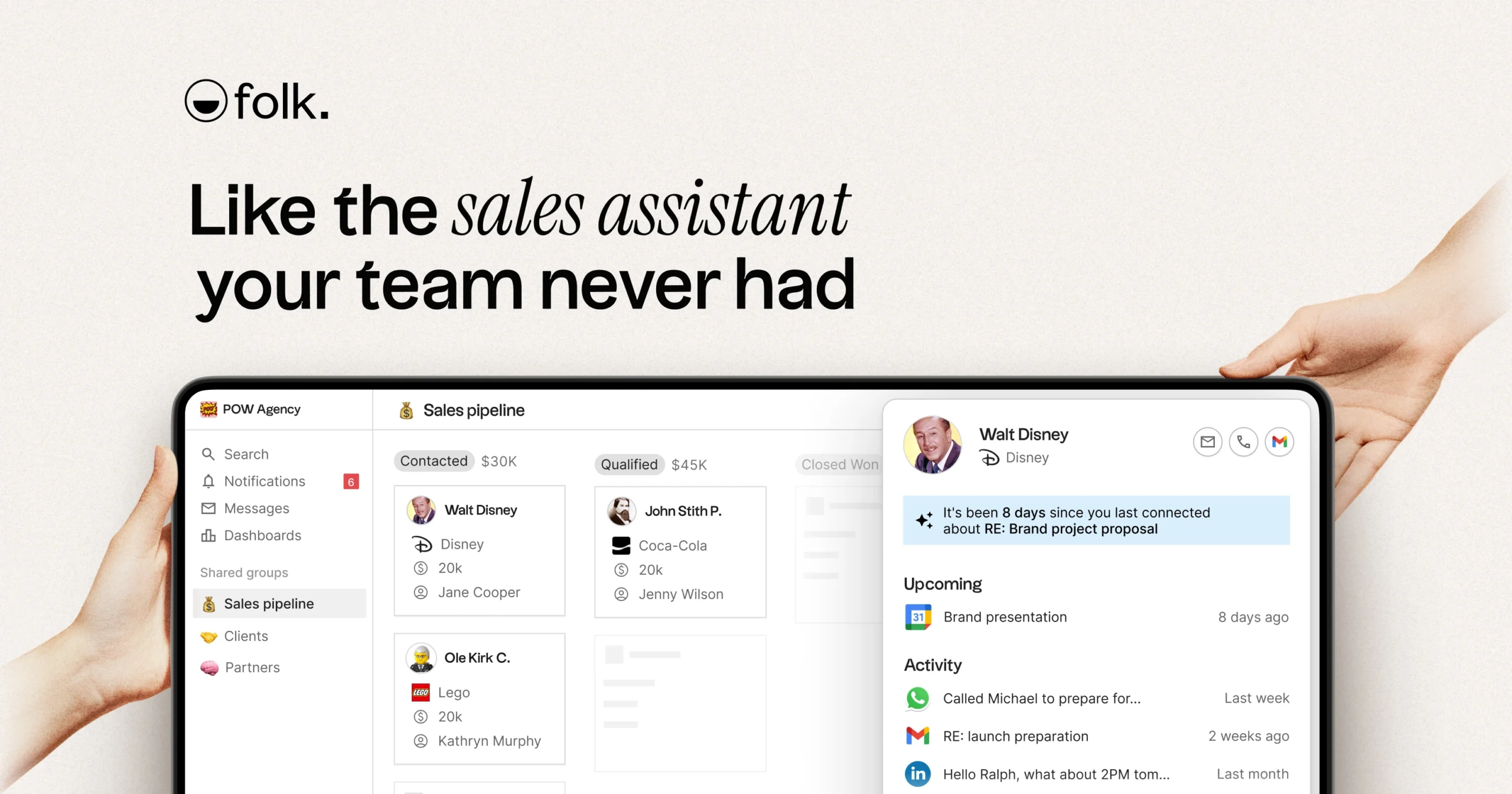
Introduction
Managing professional relationships, contacts, and communications efficiently is a central challenge for sales teams, partnership managers, and agencies. Many professionals rely on Customer Relationship Management (CRM) tools to organize interactions, track ongoing deals, and maintain updated contact information. Traditional CRMs often involve manual entry, fragmented data sources, and limited automation, which can lead to inefficiencies and missed opportunities. Tools like Folk aim to address these challenges by combining contact management with automation and AI-driven assistance, streamlining workflows across multiple platforms.
What Is Folk?
Folk is a cloud-based CRM platform designed to consolidate relationship data and assist users in managing contacts and interactions across various channels. It integrates with communication platforms such as Gmail, Outlook, WhatsApp, and LinkedIn, allowing users to centralize professional interactions. The platform categorizes itself as a multi-channel CRM with AI-powered assistants that automate certain routine tasks.
Typical users of Folk include sales teams, agency managers, startups, and partnership teams who require organized contact management and workflow automation. It is particularly relevant for teams that rely heavily on email, messaging, and social networks for client communications.
Key Features Explained
- Contact and Profile Management: Folk aggregates contact information from multiple sources, providing enriched profiles with details such as company, role, and social links.
- AI Assistants:
- Follow-up Assistant: Monitors email and messaging threads to suggest follow-ups based on inactive conversations.
- Recap Assistant: Generates summaries of interactions and meetings, highlighting key discussion points and next steps.
- Research Assistant: Automatically collects and organizes company information and produces research notes.
- Workflow Assistant: Automates emails and messaging sequences triggered by specific actions or conditions.
- Pipeline Management: Visual representation of deals or tasks across different stages, supporting collaborative workflows.
- Dashboards and Analytics: Provides insights into activity, engagement, and sales pipelines to help teams monitor performance.
- Integrations: Connects with commonly used communication platforms and productivity tools to ensure data centralization.
Common Use Cases
- Sales Teams: Tracking leads, automating follow-ups, and preparing meeting briefs using AI-generated recaps.
- Partnership Managers: Maintaining consistent communication across multiple channels and generating research notes on potential partners.
- Agencies: Managing client communications, scheduling outreach, and centralizing project-related interactions.
- Startups: Using consolidated contact data to streamline outreach, research, and relationship tracking with limited resources.
Potential Advantages
- Automation of Routine Tasks: AI assistants handle repetitive tasks like follow-up reminders, email generation, and note summarization.
- Centralized Contact Data: Combines information from multiple platforms into unified profiles, reducing manual data entry.
- Contextual Insights: Summaries and research notes provide quick access to key interaction points, supporting informed decision-making.
- Collaboration Support: Shared pipelines and dashboards allow teams to coordinate more effectively.
Limitations & Considerations
- Learning Curve: Users may require time to understand AI assistant workflows and customization options.
- Data Privacy: Integrating multiple communication channels raises questions about data storage, consent, and security.
- Platform Dependence: Reliance on AI automation may create challenges if integrations experience downtime or errors.
- Customization Limitations: Certain workflows may not fully align with specific team methodologies or reporting structures.
- Pricing Transparency: Detailed cost information is necessary for organizations to assess long-term viability.
- Performance Variability: Effectiveness of AI assistants can depend on the volume and structure of input data, potentially requiring oversight.
Who Should Consider This Folk
Folk is suitable for teams or individuals who manage multi-channel communications, need automated assistance with follow-ups, research, and recaps, and value centralized contact data. It may benefit organizations seeking to reduce administrative overhead in relationship management.
Who May Want to Avoid It
Users who have simple contact management needs, minimal email or messaging interactions, or high security/privacy restrictions might find Folk’s features excessive or incompatible with their requirements.
Comparison With Similar Folk
- Salesforce: Offers extensive CRM customization and enterprise-level features but may require more setup and technical expertise.
- HubSpot CRM: Focuses on marketing and sales automation with a freemium model, providing simpler contact management without Folk’s AI assistant depth.
- Pipedrive: Pipeline-centric CRM with visual sales management but limited multi-channel automation compared to Folk.
Final Educational Summary
Folk integrates multi-channel communication management with AI-driven workflow automation, offering tools for follow-ups, research, and summarization of interactions. Its strengths lie in consolidating contacts and reducing routine administrative tasks. Limitations include potential learning curves, dependency on integrations, and considerations around data privacy and workflow customization. Users are encouraged to evaluate Folk based on their organizational needs, communication volume, and team structure.
Disclosure: This article is for educational and informational purposes only. Some links on this website may be affiliate links, but this does not influence our editorial content or evaluations.
