
Introduction
In the modern digital landscape, managing an online presence across multiple platforms has become increasingly complex. Businesses, freelancers, content creators, and marketing teams often struggle with maintaining consistency, engaging audiences effectively, and tracking performance across social media channels. This has led to the emergence of social media management tools designed to streamline these processes. Tools in this category aim to centralize content scheduling, monitoring, and analytics in a single platform, helping users coordinate their digital strategies more efficiently.
Vista Social is one such platform. It falls under the category of social media management software and offers a variety of features aimed at simplifying the management of multiple social accounts. This article provides a detailed, educational overview of Vista Social, explaining its features, use cases, potential advantages, limitations, and comparisons to similar tools. Readers should evaluate tools based on their own requirements, as this article is for informational purposes only.
What Is Vista Social?
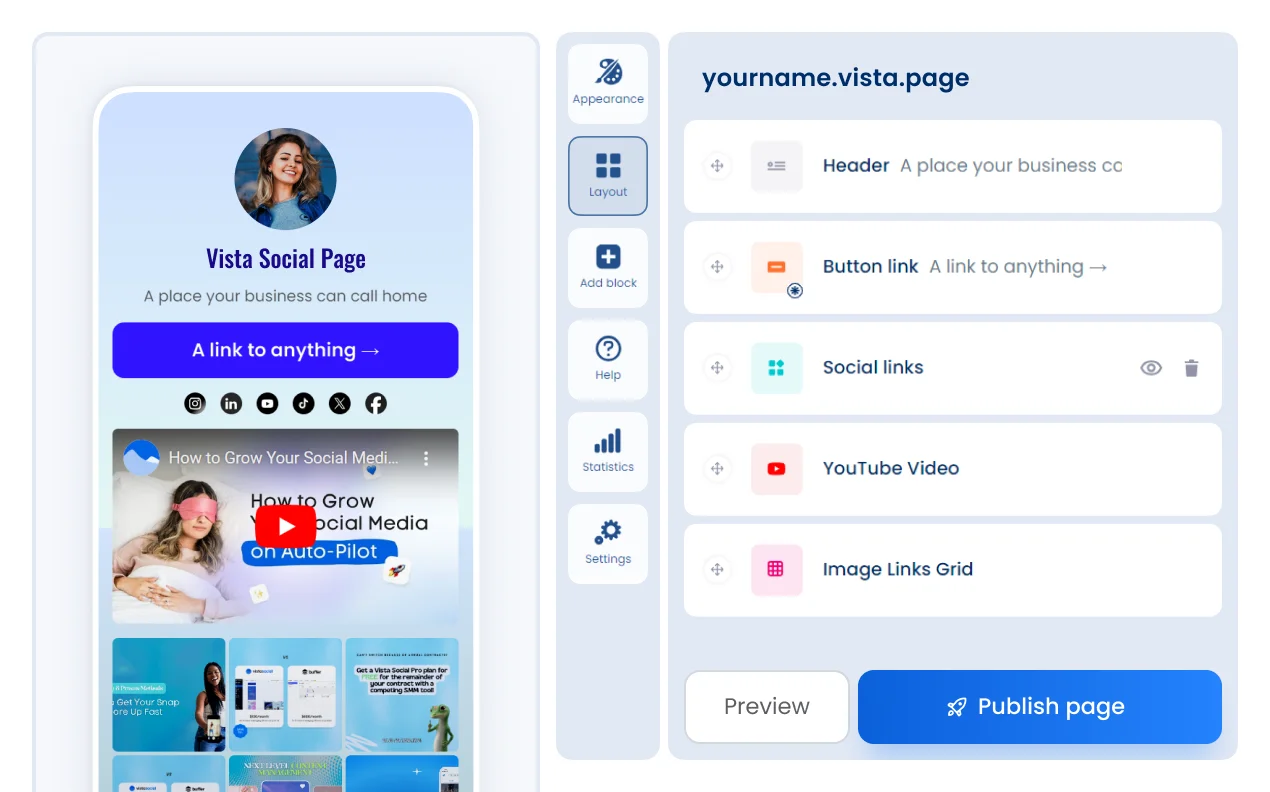
Vista Social is a cloud-based social media management platform that helps users organize, schedule, and analyze content across multiple social media channels. The platform is designed to bring several aspects of social media management into a single interface, allowing users to plan and monitor campaigns, track engagement, and evaluate audience responses.
Typical Users:
- Small to medium-sized businesses looking to manage multiple social media accounts efficiently.
- Digital marketing teams who need collaborative tools for scheduling and analytics.
- Freelancers or content creators who manage social media for themselves or clients.
- Agencies handling multiple client accounts across platforms like Facebook, Instagram, Twitter, LinkedIn, and TikTok.
Vista Social can handle account scheduling, content analytics, engagement monitoring, and basic reporting, making it suitable for users who require a consolidated view of their social media activity.
Key Features Explained
Rather than focusing on promotional benefits, the following section describes Vista Social’s core features and their functionality:
- Content Scheduling
Vista Social allows users to plan and schedule posts in advance across multiple social networks. Users can create content calendars, select posting times, and automate content distribution, which can help maintain a consistent online presence. - Social Inbox Management
The platform centralizes messages, comments, and mentions from various accounts into a unified inbox. This enables users to respond to interactions without switching between multiple platforms. - Analytics and Reporting
Vista Social provides performance metrics such as engagement rates, reach, follower growth, and post performance. Reports can be customized for individual accounts, helping users track content effectiveness over time. - Monitoring and Listening Tools
Users can track brand mentions, relevant hashtags, and competitor activities. This feature is designed to provide insights into audience sentiment and trends within a specific niche. - Collaboration Features
Teams can manage multiple users with defined roles and permissions, which is helpful for agencies or businesses with shared social media responsibilities. - Content Library
Vista Social allows storing reusable content and media assets, simplifying the process of posting and maintaining brand consistency. - Integration with Multiple Platforms
The software supports integration with popular social media networks such as Facebook, Instagram, Twitter, LinkedIn, TikTok, and YouTube, allowing centralized management.
Common Use Cases
Vista Social is used across different scenarios depending on user type:
- Small Business Owners: They may use Vista Social to schedule posts for product updates, promotions, and informational content, aiming to maintain a consistent presence without manually posting every day.
- Marketing Teams: Teams often use the platform to coordinate campaigns across multiple accounts, monitor engagement, and generate performance reports to inform strategic decisions.
- Content Creators and Freelancers: Individuals managing personal brands or client accounts can consolidate notifications, track analytics, and organize content in a structured manner.
- Agencies: Digital marketing agencies can handle multiple client accounts simultaneously, ensuring that scheduling, engagement, and reporting are streamlined.
Potential Advantages
Potential advantages of Vista Social should be considered objectively:
- Centralized Management: Users can monitor multiple social media accounts from a single dashboard, reducing the time spent switching between platforms.
- Automated Scheduling: Advanced scheduling features help maintain consistent posting, which can be important for engagement trends.
- Team Collaboration: Permissions and role management make it suitable for multi-user teams.
- Analytics: Provides an overview of performance metrics in one place, which can inform content strategy.
- Multi-Platform Support: Ability to manage several social networks simultaneously.
These points reflect potential efficiency gains rather than guaranteed outcomes. Users should verify if these features align with their workflow.
Limitations & Considerations
It is equally important to address potential limitations and considerations:
- Learning Curve: New users may require time to understand the full range of features, particularly analytics and reporting tools.
- Platform Support: While it integrates with several major networks, certain niche platforms may not be supported.
- Feature Depth: Some advanced analytics, A/B testing, or AI-based recommendations may be limited compared to specialized tools.
- Pricing Structure: Vista Social operates on subscription tiers, and higher-tier features may be required for larger teams or extensive analytics. Readers should evaluate whether the cost aligns with their budget and needs.
- Performance: As with any cloud-based tool, platform speed and reliability can vary based on server load and internet connection.
- Customer Support: Response times and support availability may differ depending on subscription level.
Understanding these limitations can help users determine whether Vista Social fits their operational and technical requirements.
Who Should Consider Vista Social
Vista Social may be appropriate for users who:
- Manage multiple social media accounts and need a centralized management system.
- Require analytics and reporting to evaluate social media performance.
- Work in small to medium-sized teams and need collaborative tools.
- Seek to streamline scheduling and content organization.
Who May Want to Avoid It:
- Individuals managing only one account with minimal content requirements.
- Users seeking advanced AI-based content recommendations or predictive analytics.
- Teams or businesses that need highly specialized or industry-specific integrations beyond major social networks.
Comparison With Similar Vista Social
To provide context, here is a neutral comparison with other social media management platforms:
- Hootsuite: Both platforms allow multi-account scheduling and analytics, but Hootsuite may offer more advanced reporting features and extensive app integrations.
- Buffer: Buffer is known for a simpler interface and lightweight scheduling features. Users seeking straightforward content planning may prefer it over Vista Social.
- Sprout Social: Sprout Social offers in-depth analytics and customer relationship management features. Vista Social may be more accessible for smaller teams with simpler reporting needs.
These comparisons highlight differences without positioning any tool as superior.
Final Educational Summary
Vista Social is a social media management platform aimed at simplifying the organization, scheduling, and analytics of multiple social accounts. It provides tools for content scheduling, centralized inbox management, analytics, team collaboration, and integration with major social networks. The platform is suitable for small to medium businesses, marketing teams, freelancers, and agencies looking for centralized social media management.
Potential advantages include streamlined workflow, multi-platform support, and collaborative features, while limitations include a learning curve, pricing considerations, and feature depth for advanced analytics. Readers should evaluate these factors relative to their own social media needs.
Vista Social is one option among many social media management tools, and comparisons with alternatives like Hootsuite, Buffer, and Sprout Social can provide context for users exploring digital management solutions.
Independent evaluation is recommended. Users should assess whether the platform’s features, integrations, and scalability meet their unique requirements.
Disclosure: This article is for educational and informational purposes only. Some links on this website may be affiliate links, but this does not influence our editorial content or evaluations.
