
Introduction
The fitness industry has undergone significant transformation over the past decade. Traditional personal training models—typically limited to in-person sessions at gyms or fitness studios—have gradually expanded into digital formats. As trainers increasingly work with clients remotely, the need for structured systems that manage communication, workout programming, progress tracking, and scheduling has grown.
Fitness professionals often face logistical challenges when coordinating multiple clients. These challenges include distributing workout plans, monitoring adherence, collecting performance data, and maintaining communication outside scheduled sessions. Manual methods such as spreadsheets, messaging apps, and paper notes can become inefficient as the number of clients increases.
To address these operational complexities, Trainerize a category of digital platforms known as fitness coaching management software has emerged. These tools aim to centralize coaching workflows, providing trainers with structured environments to organize training programs and monitor client activity.
What Is Trainerize?
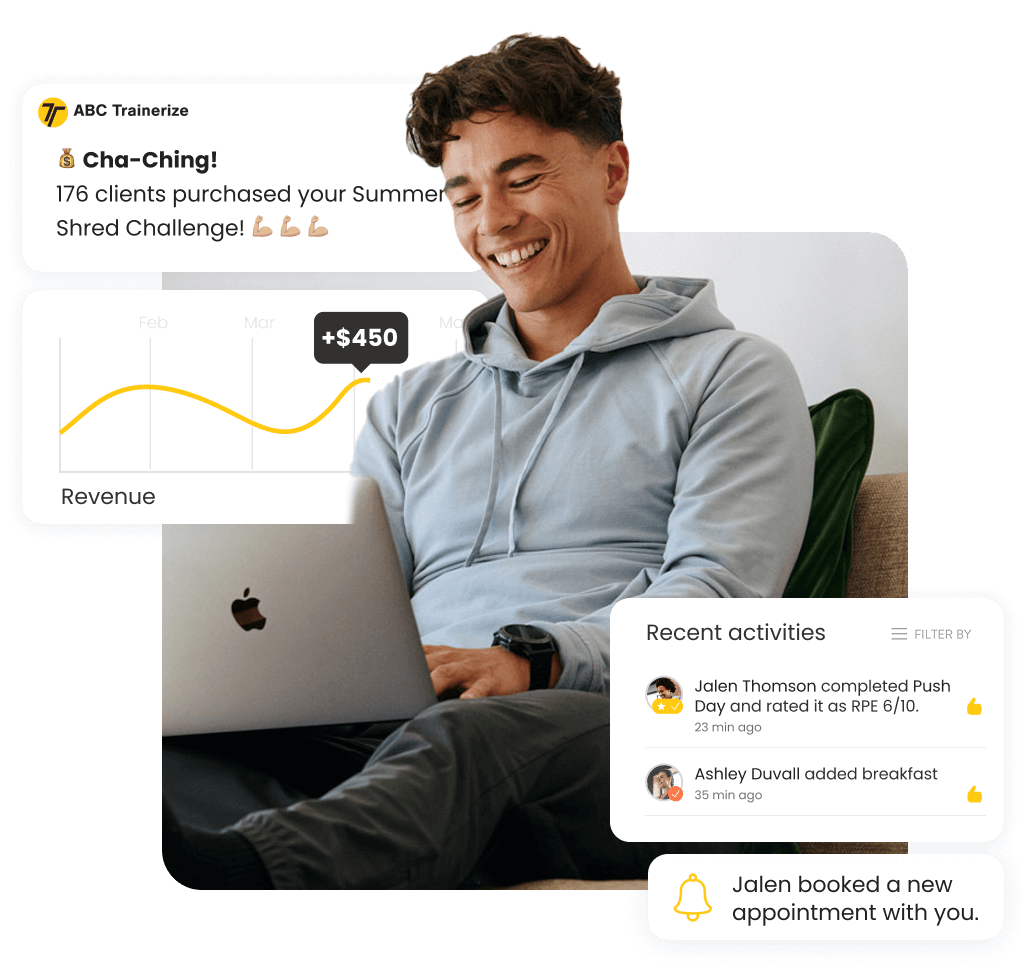
Trainerize is a digital coaching platform developed for fitness professionals who provide structured training programs to clients. The system functions as a fitness business management and coaching software, combining elements of workout programming, client communication, progress monitoring, and habit tracking.
The platform is typically used by personal trainers, online fitness coaches, and gyms seeking tools to coordinate training plans and maintain communication with clients through a centralized interface.
Trainerize operates through both a web dashboard for coaches and a companion mobile application for clients. Trainers typically design workout routines, track metrics, and manage client profiles through the web interface, while clients access their training plans through the mobile app.
Rather than functioning as a marketplace for fitness services, Trainerize primarily serves as an operational infrastructure for trainers who already work with clients independently or through fitness businesses.
In terms of software classification, Trainerize falls into several overlapping categories:
- Fitness coaching software
- Client management systems for trainers
- Workout programming platforms
- Remote personal training tools
These classifications reflect its role as an administrative and coaching support platform rather than a consumer fitness application alone.
Key Features Explained
Workout Program Builder
One of the central components of Trainerize is its workout programming system. Trainers can create structured workout plans consisting of exercises, sets, repetitions, and rest intervals. These plans can then be assigned to individual clients or reused across multiple clients with similar goals.
The platform typically includes an exercise library containing demonstrations and descriptions. Trainers can also upload custom exercises or modify existing templates.
Program structures can vary in length, allowing trainers to design short-term or multi-week training cycles.
Client Management Dashboard
Trainerize provides a centralized dashboard where trainers can organize client information. Client profiles typically include personal data, fitness goals, assigned programs, progress records, and communication history.
This structure allows coaches to track multiple clients simultaneously without relying on external tools for data organization.
Administrative tasks such as onboarding new clients, updating training plans, and reviewing client activity can be performed through the dashboard.
Progress Tracking and Metrics
Monitoring client progress is an important component of fitness coaching. Trainerize allows users to record several forms of performance data, which may include:
- Body measurements
- Progress photos
- Weight tracking
- Workout completion rates
- Habit adherence
These data points can help trainers evaluate how clients respond to training programs over time.
Visualization tools such as graphs or progress timelines are often included to display trends in performance metrics.
Messaging and Communication
Communication between trainers and clients often occurs outside scheduled workout sessions. Trainerize includes built-in messaging tools designed for trainer-client interaction.
These communication features allow trainers to provide feedback, respond to questions, or share program adjustments without requiring separate messaging platforms.
The messaging system may also support group interactions, which some coaches use for community-based training programs.
Habit and Lifestyle Tracking
Beyond workout execution, many coaching models emphasize lifestyle behaviors such as sleep, nutrition, hydration, and daily activity levels.
Trainerize includes habit tracking features where trainers can assign behavioral goals. Clients may log whether they completed certain tasks, such as drinking water, completing mobility work, or following dietary guidelines.
These features allow coaches to monitor adherence to non-workout elements of a training program.
Integration With Fitness Devices and Apps
Trainerize supports integration with several wearable devices and third-party fitness applications. These integrations may allow the platform to collect additional data such as step counts, activity duration, or heart rate information.
While integrations vary depending on the device ecosystem, the goal is to consolidate client activity data within a single coaching interface.
Scheduling and Session Management
For trainers who conduct live sessions—either in-person or virtual—the platform includes scheduling features. Trainers can manage session calendars and track upcoming appointments within the system.
This feature can help organize training schedules when working with multiple clients across different time slots.
Common Use Cases
Online Personal Training
One of the most common uses of Trainerize is for fully remote coaching programs. Trainers design workouts and assign them digitally while clients complete the exercises independently.
Progress tracking and messaging allow trainers to monitor participation even without in-person supervision.
Hybrid Coaching Models
Some trainers combine in-person sessions with remote programming. For example, a coach may conduct one weekly session at a gym while assigning additional workouts through Trainerize for clients to complete on their own.
The platform can function as the coordination hub for both types of interaction.
Fitness Studios and Training Businesses
Small fitness studios sometimes use Trainerize to manage multiple trainers and clients within a single system. The platform can assist with organizing coaching programs, client data, and communication channels.
In this context, the platform functions as part of the studio’s operational infrastructure.
Group Coaching Programs
Some trainers organize structured group challenges or training programs lasting several weeks. Trainerize can distribute identical or slightly modified workout plans across many participants while tracking progress individually.
Messaging tools can also support group-based communication within such programs.
Lifestyle and Habit Coaching
In addition to exercise instruction, some coaches incorporate lifestyle management into their services. Habit tracking features allow them to assign daily or weekly behavioral tasks that clients can log through the app.
Potential Advantages
Centralized Coaching Workflow
One of the notable characteristics of Trainerize is its consolidation of several coaching tasks within a single platform. Workout programming, messaging, progress tracking, and habit monitoring can occur within the same interface.
This consolidation can reduce reliance on multiple software tools.
Scalability for Coaches
Trainers who work with a growing client base often need systems that allow them to manage many individuals simultaneously. Platforms like Trainerize are structured to support client scaling by allowing reusable workout templates and automated program distribution.
Client Visibility Into Programs
Clients typically access their workouts through a mobile app interface, which provides instructions and demonstrations for assigned exercises. This structure may improve clarity regarding workout expectations and scheduling.
Remote Coaching Support
As remote fitness coaching has become more common, software platforms capable of supporting digital interactions have gained importance. Trainerize is designed to support this remote coaching environment through messaging, data tracking, and mobile access.
Structured Progress Monitoring
The platform’s progress tracking tools provide organized records of measurements, photos, and performance data. Trainers may use this information to evaluate program effectiveness over time.
Limitations & Considerations
Learning Curve for New Users
Like many specialized software platforms, Trainerize may require an initial learning period. Trainers unfamiliar with digital coaching systems may need time to understand how to create programs, assign clients, and interpret data reports.
Dependence on Mobile Device Use
Client participation typically relies on consistent use of the mobile application. If clients do not regularly log workouts or progress data, the effectiveness of the tracking system may be limited.
Subscription-Based Platform
Trainerize generally operates under subscription pricing models for trainers or businesses. For individual trainers starting new coaching practices, cost considerations may influence whether the platform is practical.
Limited Customization in Some Areas
Although Trainerize provides structured features for coaching workflows, some trainers may prefer highly customized systems that allow more control over data structures or program formats.
In such cases, platforms designed specifically for enterprise-level fitness operations may offer more extensive customization.
Reliance on Digital Communication
Remote coaching tools depend heavily on digital interaction. Trainers who rely primarily on in-person instruction may find fewer advantages from such platforms if most coaching occurs offline.
Who Should Consider Trainerize
Trainerize may be relevant for several types of users within the fitness industry.
Independent personal trainers who deliver online coaching programs often require systems for distributing workouts and monitoring progress.
Fitness professionals managing multiple clients may benefit from centralized client tracking and program management.
Small fitness businesses or training studios may use the platform to coordinate coaches, organize training plans, and track client engagement.
Hybrid coaches who combine digital programming with in-person training sessions may also find value in having a structured platform that manages both components.
Who May Want to Avoid It
Not all fitness professionals require software platforms like Trainerize.
Trainers who work exclusively in-person and rely on direct supervision may not need digital program distribution or remote tracking tools.
Fitness beginners seeking a personal workout app might find the platform less suitable if they do not have a trainer providing programs through the system.
Coaches who prefer entirely manual program design workflows may find software systems restrictive compared to spreadsheets or self-developed processes.
Comparison With Similar Tools
Trainerize exists within a broader ecosystem of coaching platforms that serve similar purposes. Examples include systems designed for fitness professionals to manage training programs and client communication.
Some platforms emphasize workout programming and analytics, focusing on detailed exercise data and performance metrics.
Others prioritize business management features, including billing, client contracts, and appointment scheduling.
Trainerize sits somewhat between these categories, combining elements of workout programming, communication tools, and habit tracking within a single system.
In comparison with some enterprise-level coaching software, Trainerize is often positioned toward independent trainers and smaller coaching businesses rather than large commercial gym chains.
However, the exact suitability of any platform depends on the trainer’s workflow, number of clients, and preferred coaching model.
Final Educational Summary
Digital coaching platforms have become increasingly common as the fitness industry expands beyond traditional gym environments. Managing client programs, monitoring progress, and maintaining communication across multiple clients can present logistical challenges when using manual systems.
Trainerize represents one example of software designed to support these operational needs. By combining workout programming tools, communication features, progress tracking, and habit monitoring, the platform attempts to centralize several elements of the coaching process.
Its usefulness depends largely on how a trainer structures their services. Coaches delivering remote or hybrid training programs may find value in having an integrated system for organizing client interactions and program data. Conversely, professionals who primarily conduct in-person training may require fewer digital management tools.
As with any software platform, the decision to use Trainerize typically depends on workflow preferences, the scale of coaching operations, and the role digital tools play in a trainer’s overall coaching strategy.
Disclosure: This article is for educational and informational purposes only. Some links on this website may be affiliate links, but this does not influence our editorial content or evaluations.
