
Introduction
Online presentations, training sessions, and informational briefings have become common across education, business, and community-based initiatives. As live webinars require presenters to be available at specific times, many organizations look for ways to deliver structured presentations repeatedly without hosting each session in real time. This need has led to the development of automated webinar platforms.
Automated webinar tools are designed to simulate scheduled sessions using pre-recorded content while preserving elements such as registration, reminders, and attendee interaction. These platforms are typically used when information must be delivered consistently to multiple audiences over time, without the logistical demands of repeated live hosting.
This article provides an independent, educational overview of EverWebinar, focusing on how it works, what it is used for, and the considerations readers should evaluate before using such a tool. The content is written for informational purposes and does not promote or recommend purchase decisions.
What Is EverWebinar?
EverWebinar is a web-based software platform categorized as an automated webinar system. It allows users to present pre-recorded video sessions as if they were scheduled live events. Attendees can register for sessions, receive reminders, and view the presentation at designated times.
Tools in this category are commonly used by educators, trainers, consultants, and organizations that deliver repeated informational sessions. Rather than hosting the same presentation multiple times, the content is recorded once and delivered on a recurring schedule.
EverWebinar is often discussed alongside live webinar tools, but its primary distinction lies in automation rather than real-time broadcasting. It is typically used when interaction is limited or structured and when presenters do not need to be present for each session.
Key Features Explained
Automated Scheduling
EverWebinar enables users to schedule recurring sessions using pre-recorded material. Sessions can be offered on fixed dates or rotating schedules, depending on configuration.
Registration and Attendance Flow
The platform includes built-in registration processes. Attendees sign up for a scheduled time and receive notifications related to their selected session.
Simulated Live Environment
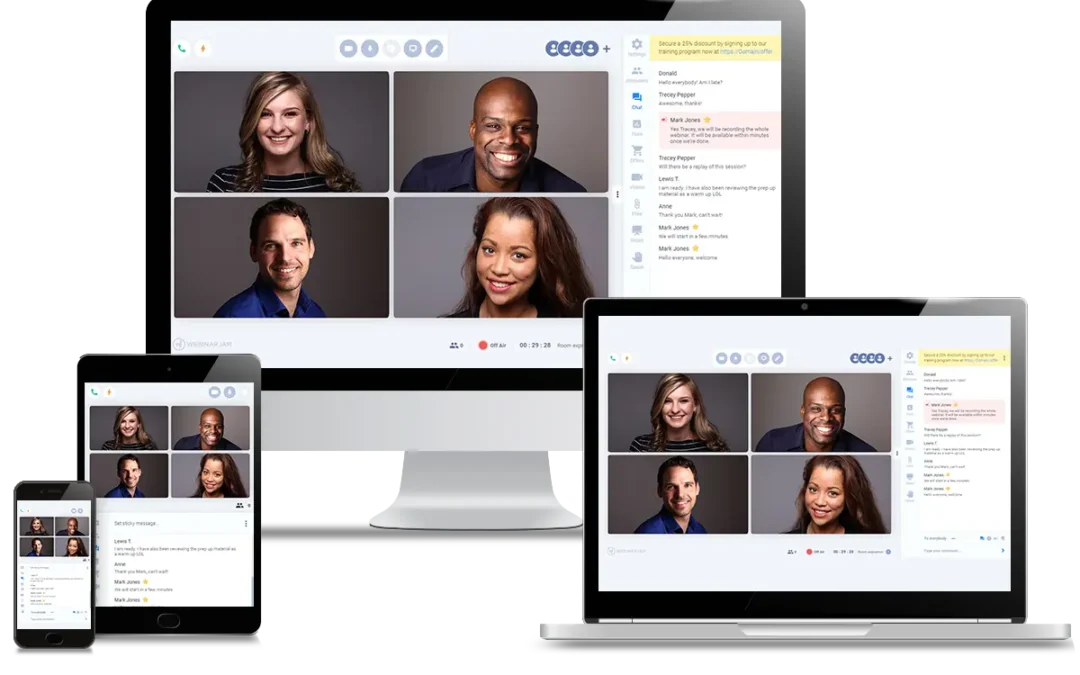
Some features are designed to resemble live webinars, such as timed chat messages or prompts that appear at specific moments during playback. These elements are automated rather than real-time.
Email Notifications
Automated reminders and follow-up messages can be configured to notify registrants before and after sessions. These messages are typically triggered based on timing rules.
Analytics and Reporting
EverWebinar provides basic reporting related to attendance, viewing duration, and engagement actions. These insights are used to understand how participants interact with the session.
Integration Capabilities
The platform supports integration with other software systems, such as email services and customer management tools, allowing webinar data to be shared across workflows.
Common Use Cases
Educational Training Sessions
Instructors and educators may use automated webinars to deliver standardized lessons or orientation materials that do not require live interaction.
Internal Organizational Briefings
Organizations sometimes use recorded webinars for onboarding or policy explanations, ensuring consistent messaging across teams.
Product or Service Demonstrations
Pre-recorded demonstrations can be delivered on a scheduled basis to explain how a system or process works, without requiring staff availability each time.
Informational Workshops
Consultants and professionals may use automated sessions to explain concepts, frameworks, or methodologies to a broad audience.
Potential Advantages
- Time Efficiency: Once recorded, sessions can be reused without repeated hosting.
- Consistent Delivery: Every attendee receives the same presentation content.
- Scalability: Sessions can accommodate varying audience sizes without additional setup.
- Scheduling Flexibility: Multiple session times can be offered using the same recording.
Limitations & Considerations
This section is critical for understanding whether EverWebinar aligns with specific needs.
Limited Real-Time Interaction
Because sessions are pre-recorded, spontaneous interaction is not possible. Questions and discussions must be handled through predefined mechanisms or follow-up channels.
Setup Complexity
Configuring automated schedules, messaging, and integrations may require technical familiarity. New users may face a learning curve during initial setup.
Dependence on Pre-Recorded Quality
The effectiveness of sessions depends heavily on the quality of the recorded content. Errors or outdated information require re-recording.
Perception of Automation
Some audiences may prefer live interaction and may feel disengaged if automation is noticeable.
Ongoing Maintenance
Automated webinars still require periodic updates, monitoring, and system checks to ensure smooth operation.
Who Should Consider EverWebinar
EverWebinar may be suitable for:
- Educators delivering repeated instructional sessions
- Organizations needing standardized presentations
- Trainers who do not require live discussion
- Teams managing large, recurring informational events
Who May Want to Avoid It
This tool may not be suitable for:
- Presenters who rely heavily on live audience interaction
- Small teams without technical setup resources
- Events requiring real-time discussion or collaboration
- Situations where content changes frequently
Comparison With Similar EverWebinar
Automated and live webinar platforms vary in focus and functionality. For context, EverWebinar is often compared with tools such as WebinarJam, Demio, and Zoom.
While live webinar tools prioritize real-time interaction, automated platforms focus on repeatable delivery. Each approach serves different needs, and no single solution fits all use cases. Readers should assess their objectives, audience expectations, and operational constraints before selecting a platform.
Final Educational Summary
EverWebinar is an automated webinar platform designed to deliver pre-recorded presentations on a scheduled basis. It addresses the challenge of repeatedly hosting informational sessions by replacing live delivery with structured automation.
Like similar tools, it offers advantages in consistency and scalability while presenting limitations related to interaction and setup complexity. Its suitability depends on whether automation aligns with the goals of the presenter and the expectations of the audience.
Readers are encouraged to evaluate webinar tools based on content type, interaction needs, and technical capacity rather than relying on generalized comparisons.
Disclosure: This article is for educational and informational purposes only. Some links on this website may be affiliate links, but this does not influence our editorial content or evaluations.