
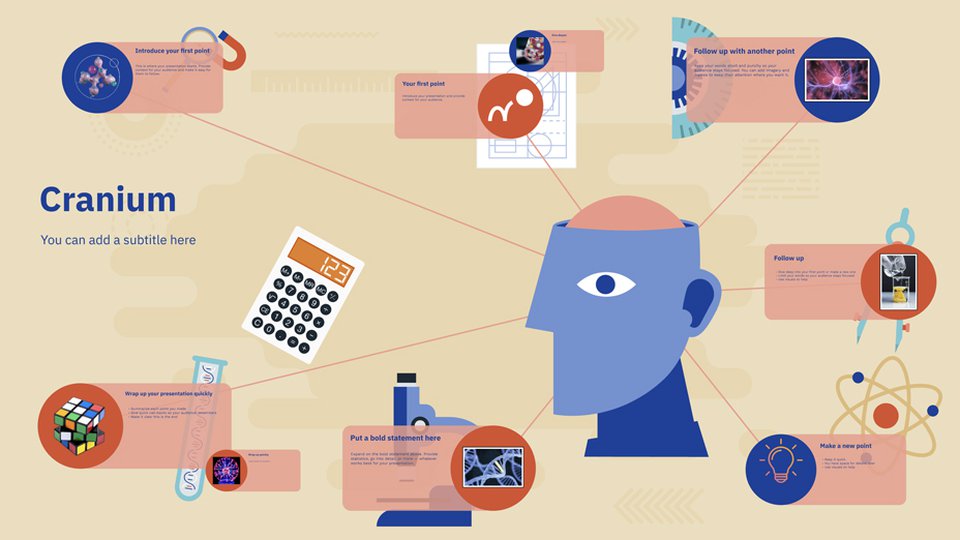
In today’s digital environment, the way information is presented has evolved significantly. Traditional slide-based presentations, while familiar, often struggle to maintain audience engagement in an era dominated by fast-paced, visually-driven communication. Prezi emerges as a tool designed to rethink presentation creation, offering a dynamic, non-linear approach that allows users to tell compelling stories visually. Unlike conventional presentation software, Prezi emphasizes spatial relationships, zooming features, and interactive narratives that help information flow more naturally and memorably.
What is Prezi?
Prezi is a cloud-based presentation platform that provides an alternative to the linear slide-by-slide model of traditional tools. It was conceptualized to help users create presentations that are more engaging, interactive, and visually impactful. Instead of moving from one static slide to another, Prezi allows presenters to zoom in and out of a large, virtual canvas, connecting ideas spatially and visually. This approach can make complex concepts easier to understand, as it provides a visual map of the content structure, helping audiences see the relationships between different elements of a presentation.
Key Features of Prezi
Prezi offers a suite of features designed to enhance presentation design and delivery:
- Zooming Interface – One of Prezi’s most distinctive elements is its zoomable canvas, which allows presenters to move fluidly between topics. This zooming feature can emphasize important points, create a sense of scale, and help guide the audience’s attention in a more dynamic way than linear slides allow.
- Non-Linear Navigation – Unlike traditional slides, which follow a fixed sequence, Prezi supports non-linear presentations. This means presenters can adapt the flow of the presentation on the fly, jumping between sections as needed, which is particularly useful in interactive workshops, educational settings, or business meetings.
- Templates and Customization – Prezi provides a variety of templates tailored for different purposes, from educational lectures to business pitches. Users can fully customize these templates, including colors, fonts, icons, and images, allowing each presentation to maintain a unique and professional look.
- Collaboration Tools – Cloud-based collaboration is integral to Prezi’s functionality. Teams can co-edit presentations in real-time, leave comments, and track changes, making it a valuable tool for remote or distributed teams.
- Integration with Multimedia – Prezi supports embedding videos, images, GIFs, and other multimedia elements directly into the presentation canvas. This flexibility allows for richer storytelling and a more engaging experience for viewers.
- Analytics and Reporting – For business users, Prezi provides analytics to track viewer engagement and interaction with the presentation. This feature helps presenters assess which parts of the presentation were most effective or which content may need refinement.
Advantages of Using Prezi
The design philosophy behind Prezi offers several potential benefits compared to conventional slide-based tools:
- Enhanced Engagement – The dynamic and interactive nature of Prezi presentations often helps maintain audience attention longer than static slides.
- Improved Clarity of Complex Ideas – By visually mapping connections and relationships, Prezi can make complex concepts easier to understand.
- Flexible Presentation Flow – Non-linear navigation allows presenters to adapt content based on audience needs or time constraints.
- Remote Collaboration – Teams can create, edit, and review presentations from anywhere with internet access.
- Memorability – The visual storytelling approach can make presentations more memorable, helping audiences retain key messages.
Considerations and Limitations
While Prezi offers numerous advantages, it also comes with considerations that users should evaluate before adoption:
- Learning Curve – For users accustomed to traditional slide software, Prezi’s zooming interface and non-linear navigation may require an adjustment period.
- Overuse of Zoom Effects – Excessive zooming or motion effects can become distracting rather than enhancing the narrative.
- Internet Dependency – While Prezi offers offline presentation options, full functionality is cloud-dependent, which may be limiting in environments with unstable internet access.
- File Management – Unlike traditional slide decks that can be easily exported as standalone files, Prezi’s cloud-based structure may require extra steps for sharing or archiving presentations.
Use Cases for Prezi
Prezi is versatile and can serve different sectors and purposes:
- Education – Teachers and educators can use Prezi to create visually engaging lessons that help students grasp complex concepts and maintain attention throughout lectures.
- Corporate Presentations – Businesses can leverage Prezi for client pitches, strategy sessions, and team briefings where storytelling and visual flow are critical.
- Marketing and Sales – Marketing professionals use Prezi to present campaigns, product launches, and data analytics in a more interactive and engaging way.
- Workshops and Conferences – The non-linear structure of Prezi allows speakers to adapt presentations in real-time, enhancing interactivity and audience participation.
- Research and Academia – Researchers can use Prezi to illustrate data, processes, or theoretical models in a visually coherent manner, making findings more accessible to diverse audiences.
How Prezi Changes the Way We Present Information
The shift from linear slides to a spatial canvas reflects broader trends in digital communication. People increasingly consume information in non-linear, visual formats, whether through infographics, interactive dashboards, or multimedia platforms. Prezi aligns with this shift by encouraging a storytelling approach that is both visually driven and audience-focused. Presenters are not just delivering content—they are guiding an experience, creating a narrative that can adapt and evolve in response to the audience’s reactions.
Moreover, Prezi emphasizes cognitive mapping, where audiences can see the structure and hierarchy of information in a single view. This approach improves comprehension and recall, particularly in educational and professional contexts where understanding relationships between concepts is essential.
Accessibility and Support
Prezi offers accessibility features to ensure that presentations are usable by diverse audiences. These include keyboard navigation, screen reader compatibility, and options to adjust visual contrast. Additionally, Prezi provides extensive support resources, including tutorials, webinars, and community forums, helping users make the most of the platform regardless of experience level.
Future Developments
As visual communication continues to evolve, platforms like Prezi are likely to incorporate more advanced technologies. Potential areas of growth include:
- Artificial Intelligence – AI-powered design suggestions and automated content organization could simplify the creation process.
- Augmented Reality (AR) Integration – Incorporating AR elements could make presentations more immersive and interactive.
- Enhanced Analytics – More granular tracking of audience engagement can provide insights for continuous improvement.
Conclusion
Prezi represents a significant departure from traditional slide-based presentations by offering a flexible, visually engaging, and interactive platform. Its zoomable canvas, non-linear navigation, and multimedia integration enable presenters to create compelling narratives that can adapt to audience needs. While there are considerations such as learning curves and potential overuse of effects, the benefits of clarity, engagement, and storytelling potential make Prezi a noteworthy tool in both educational and professional contexts. As digital communication trends continue to favor visual and interactive content, tools like Prezi are likely to play an increasingly important role in how information is conveyed.
Disclosure: This article is intended for educational and informational purposes only. It provides an overview of Prezi as a digital presentation tool and does not constitute professional, financial, or marketing advice. The content is independent and not sponsored or influenced by Prezi or any affiliated entities. Readers should evaluate Prezi and similar tools based on their own needs and requirements.